Jeden Tag bieten wir KOSTENLOSE Android Apps und Spiele an die ihr sonst kaufen müsstet.
Android Giveaway of the Day - ID Photo & Passport Portrait
This giveaway offer has been expired. ID Photo & Passport Portrait is now available on the regular basis.


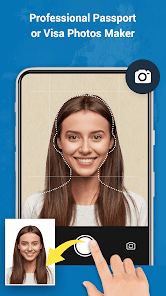

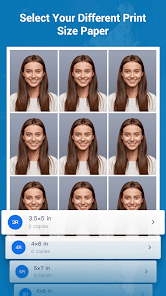
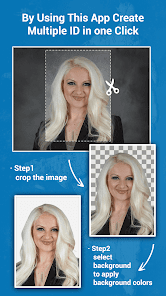
Make an ID photo easily just with this professional Nuts ID photo app.
ID Photo supports all formats for various uses such as ID card, passport for all countries, visa, driver's license, resume, certificate, social platforms and more! ID Photo detects your portrait automatically, no need for dull cutting and search for accurate specifications. And you can use the Nuts ID Photo app to create photos by Self-photographing, take your portraits again and again until you are satisfied. If you need to use ID photos and feel it is too expensive in offline stores, try this ID Photo.
Features
Provide shooting guidance, easy to operate
Take only 3 minutes to make an ID photo
Save ID photo in HD quality
Automatically detect your portrait
Take a photo directly or use previous photos
Easily crop, change the background, add annotation
Improve photos with tone adjustment
Check all saved ID photos in one place
Provide a variety of ID photo sizes, including multi-national passports and visas
Quick search specifications you need
Save in different formats (jpeg, png, webp) and resolution
You don’t need to wear a formal suit, we provide an astonishing suit changer with a wide range of HD quality women/men/kids formal smart suits for passport or ID designs and style.
With this ID Photo app , you can format and save any use-worthy ID photos within seconds! Whether visa photos or certificate photos or photos of various sizes, you can find what you want here. If you have more formats you need, feel free to contact us and make this ID Photo perfect. Save ID Photo money with this app!
Entwickler:
Nuts Mobile Inc.
Kategorie:
Productivity
Version:
1.0.9
Größe:
Bewertet:
Everyone

Kommentare zum ID Photo & Passport Portrait
Please add a comment explaining the reason behind your vote.