Jeden Tag bieten wir KOSTENLOSE Android Apps und Spiele an die ihr sonst kaufen müsstet.

Android Giveaway of the Day - Passport Photo: ID Photo Print
Passport Photo: ID Photo Print
ist verfügbar als Giveaway of the day!
Ihr habt nur begrenzt Zeit, es herunterzuladen und zu installieren.


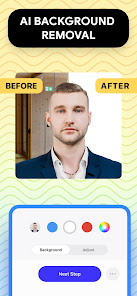
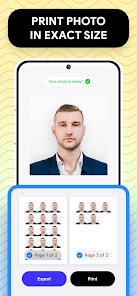
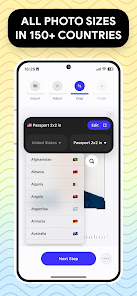
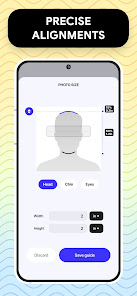
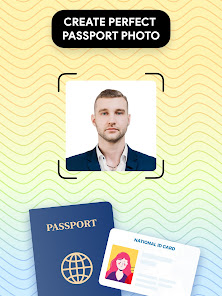
Passport Photo - ID Photo Print is a powerful passport photo editor that will adjust your passport size photo properly. It's the easiest way for you to create passport id and visa photo at home. With the passport size photo maker, you can have quick access to high quality passport picture, visa photo that meets all government requirements.
Passport Photo - ID Photo Print has all the premium features that make it the ideal passport size photo solution for a convenient visa photo or passport photo editor. You can take passport photo at home, adjust your id photo into 3x4, 4x4, 4x6, 5x7 or 2x2 photo and print it right from your phone using this app.
With ID Photo Print, you can:
- Take passport photo at home and adjust size in seconds
- Customize your passport id with passport photo editor features with ease
- Access a database of US passport requirements or any country's visa photo regulations
- Remove background to create a white background image
- Export/print your visa photo in few seconds right from your phone.
We understand that each country has different passport size photo requirements, so we're here to make the process of preparing your passport id as easy as possible. Whether it's 3x4, 4x6, 5x7 or 2x2 photo, this passport size photo maker can create any photo size for ID, visa, US passport or for any countries that you need. You can also change aspect ratio and crop id photo to exact dimension. If your passport id needs a little touch-up, we have a variety of passport photo editor tools for you to adjust brightness, temperature or sharpen your photo, etc.
This passport size photo maker also offers a background remover feature to make you a white background image or any colored background that you need, make it easier for you to take passport photo at home without worrying about finding a suitable background for your photo.
Passport Photo - ID Photo Print is the perfect app for those who need to update their passport picture quickly and easily. With a database of regulations from around the world, you'll be able to create your ID photo for US passport in a snap, or create a custom passport picture that meet any country's requirements.
Entwickler:
TAPUNIVERSE
Kategorie:
Art & Design
Version:
1.0.12
Größe:
Bewertet:
Everyone

Kommentare zum Passport Photo: ID Photo Print
Please add a comment explaining the reason behind your vote.