English
Every day we offer FREE licensed Android apps and games you’d have to buy otherwise.

Android Giveaway of the Day - WSticky - Sticky Note Widget
WSticky is sticky notes widget for home screen use.
$0.99
free today
User rating:
0
Leave a comment
WSticky - Sticky Note Widget
is available as a Giveaway of the day!
You have limited time to download, install and register it.


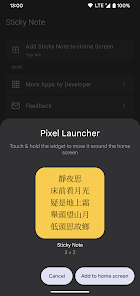
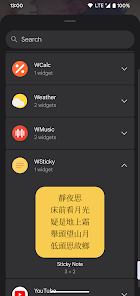
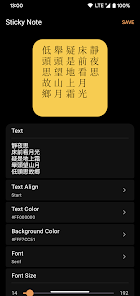
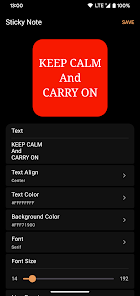

WSticky is sticky notes widget for home screen use.
To add the Sticky Note Widget to your home screen:
1. Open your Android home screen.
2. Long-press on an empty area of the screen.
3. Tap Widgets.
4. Scroll down and find WSticky widget.
5. Drag the widget to the desired location on your home screen.
Developer:
GuoPing He
Category:
Personalization
Version:
1
Size:
Rated:
Everyone
Compatibility:
Windows Giveaway of the Day

A Special Audio Software Tool Segments MP3 Files into Equal-duration Segments
Comments on WSticky - Sticky Note Widget
Please add a comment explaining the reason behind your vote.