Every day we offer FREE licensed Android apps and games you’d have to buy otherwise.
Android Giveaway of the Day - GBCEmulator (Game Boy Color emulator)
GBCEmulator (Game Boy Color emulator)
is available as a Giveaway of the day!
You have limited time to download, install and register it.

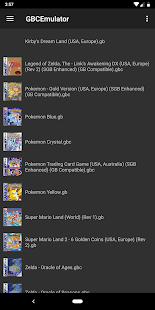
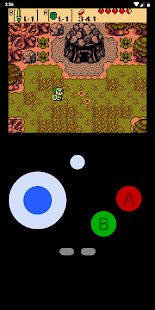
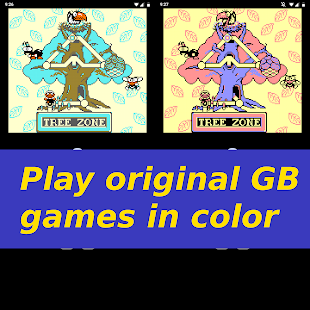
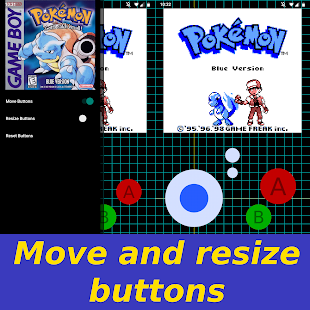
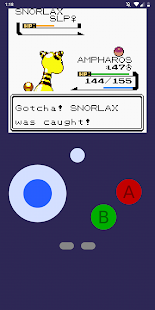
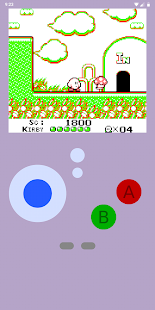
GBCEmulator is a modern GB/GBC emulator built using the open-source, cross-platform library of the same name (github.com/joshgamer474/GBCEmulator/).
Features:
- Clean touch-screen controls with custom placement and custom sizing using an interactive grid
- Pixel perfect upscaling for an HD experience
- V-sync
- 44.1 kHz high quality audio
- Automatic gamesave write out on game session exit via double tapping the Android back button
- Automatic controller detection and usage
- Automatic .gb/.gbc/.zip game detection
- On-demand GBC palette mode for GB games support
- High resolution box artwork fetching and displaying
- Other selectable box artwork available by long pressing the boxart
- 8 additional GB/GBC colored backgrounds to choose from!
Note: Games are not included and some games may not run. Future updates may allow more game compatibility and increase emulation accuracy.
Developer:
Josh Childers
Category:
Arcade
Version:
0.1.9
Size:
11M
Rated:
Everyone
Compatibility:
5.0 and up
Comments on GBCEmulator (Game Boy Color emulator)
Please add a comment explaining the reason behind your vote.

Games are not included and some games may not run. Future updates may allow more game compatibility and increase emulation accuracy.
So basically it doesn't work. UNLESS you already have either a games console or another emulator (TEMU - for $30 you get 2000 games).
This just seems like an enormous amount of effort for a result that the developers are unsure about to play PacMan.
Or you could just buy a Gameboy. And a few games. Second hand. Why complicate something that is obviously simple?
Save | Cancel
I don't even see how you'd get the games into this thing. Put them on a thumb drive first, then access with the file manager? Seems rather complicated to me. Easier to use an emulator on my PC.
Save | Cancel