Jeden Tag bieten wir KOSTENLOSE Android Apps und Spiele an die ihr sonst kaufen müsstet.
Android Giveaway of the Day - Premium Camera
This giveaway offer has been expired. Premium Camera is now available on the regular basis.

Benefits
- NO Ads
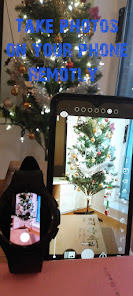
- It works across mobile and wearable devices.
- Calendar Camera
- Green Screen with Gif background
※ Premium Camera is now available on Wear OS
※ Premium Camera on Wear OS must be synced with your Premium Camera on mobile.
Example 1:
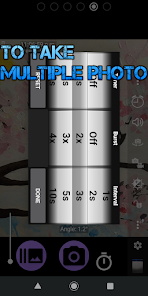
* You can take a series of photos with a timer.
It will take pictures with number of 30 every 10 sec.
1. Number of photo: Setting --- Burst --- (30x)
2. Interval of taking of pictures: Setting --- Burst mode interval --- (10s)
3. Click the button of camera
Example 2:
It take picture each 10 minute between 8.30 AM and 8.30 PM with every day.
1. Timer (Triger)
Every day with 8:30 AM
2. Burst
It must with Off
3. Custom Burst
You can put 72(It will take multiple photos, 72 numbers , 12 hours = 10minutes X 72)
4. Burst mode interval
Select 10m(10minutes interval)
Example 3:
It will take Video 10 minute at 8:00 AM with every day.
0. Set button of Camera to Video
1. Timer (Trigger)
Every day with 8:00 AM
2. Setting
3. Video settings...
4. Maximum duration of video
Select 10 minutes
Features:
* Timer option with Clock.
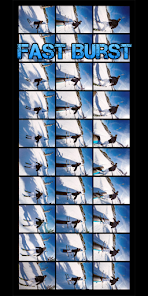
* Burst mode.
* Real-time Photo filters.
* Real-time Video filters.
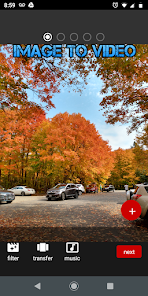
* Image to Video(mp4)
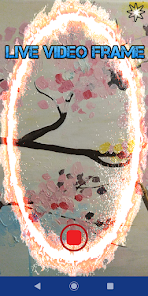
* Video stamp (on Frame Video)
* Option to auto-stabilize so your pictures are perfectly level no matter what.
* Zoom via multi-touch gesture and single-touch control.
* Flash on/off/auto/torch.
* Choice of focus modes (including macro).
* Touch to select focus and metering area.
* Face detection option.
* Choice of front/back camera.
* Choose scene modes, color effects, white balance and exposure compensation.
* Choice of camera and video resolution, and JPEG image quality. Support for all resolutions offered by the camera. Also support for 4K UHD (3840x2160) video on some devices (experimental - may not work on some devices!).
* Video recording (with optional audio).
* Burst mode, with configurable delay.
* Option to silence the shutter.
* GUI works in any orientation without any pause when changing orientation. Option to optimize for left and right-handed users.
* Configurable volume keys (to take picture, zoom, or change exposure compensation).
* Choice of save folder (though note Google have blocked write access to external SD cards in Android 4.4, see http://bit.ly/1eTBWCx ).
* Configurable on-screen display shows battery, time, remaining device memory, orientation and direction of camera; also option to overlay a choice of grids (including "rule of thirds").
* Preview aspect ratio can be set either to maximize the preview display size, or match the aspect ratio of the photo/video resolution (so what you see is what is actually recorded).
* Optional GPS location tagging (geotagging) of photos, including compass direction (GPSImgDirection, GPSImgDirectionRef).
* Support for external microphones (may not be supported by all devices).
* Instructions available from http://joeunsemu.com/android/tcp/
* unlike most Android apps.
(Some features may not be available on all devices, as they may depend on hardware features, or the Android version.)
Please contact me if you encounter any problems, or have any suggestions for improvements - either email, or post at http://joeunsemu.com/android/tcp/
Privacy Policy: Location permission is required for geotagging of photos, but this is disabled by default. If enabled, your location is encoded in the saved image files (and it is only used for this purpose).
Entwickler:
Three Starfish
Kategorie:
Photography
Version:
n
Größe:
Bewertet:
Everyone

Kommentare zum Premium Camera
Please add a comment explaining the reason behind your vote.