Jeden Tag bieten wir KOSTENLOSE Android Apps und Spiele an die ihr sonst kaufen müsstet.
Android Giveaway of the Day - Thai phrasebook ✈ Thai Talk Pro
This giveaway offer has been expired. Thai phrasebook ✈ Thai Talk Pro is now available on the regular basis.

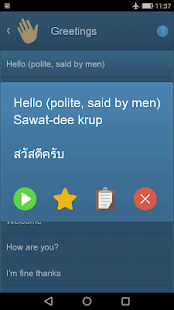

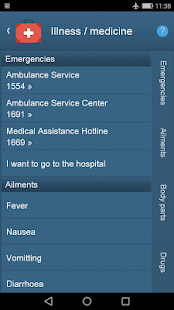
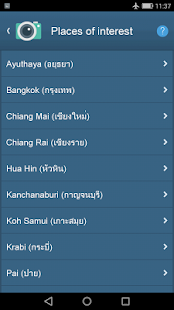
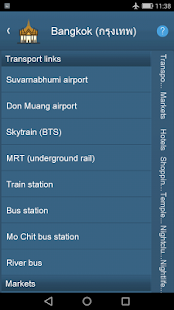
More than just talk - Thai Talk is an essential app for anyone travelling to or living in Thailand. It's the fastest, easiest to use, highest-rated and most feature-rich phrasebook app on the market.
We created Thai Talk because Google Translate is not very good at Thai and requires an internet connection - something which you may find yourself without in Thailand. Thai Talk is cheaper than any comparable app and is the only app on the market with ALL these features:
• Over 1500 words and phrases with new phrases added regularly. Most other apps haven't been updated for years
• NO internet connection required
• Dial local emergency and other useful phone numbers straight from the app
• High-quality, accent neutral speech from Google's TTS engine. Easily understood by all Thais, regardless of region (better for travellers)
• Translations displayed with both Thai script and Western 'karaoke' pronunciation guide
• Instant search results that update as you type
• Bookmark your favorite translations
• Common tourist attractions and places categorized by town/area
• Voice search. Will already work offline for many phones. To ensure voice input will work offline for you, watch https://youtu.be/G2kf4xCOHNM
• Search in English or Thai (useful if you want to let a Thai type something to translate). To add a Thai keyboard input option on your phone, go to: Settings > Advanced > Language > Gboard > Languages
• Includes common slang phrases
• Includes an 'Isaan dialect' category (for Northeast Thailand)
• Copy translations to clipboard (for messaging, Facebook, etc)
• Tap to launch map or call certain places/hotels
• Both English-to-Thai and Thai-to-English dictionaries
• Smallest download of any comparable app
• Will install to external storage no problem (unlike many storage hogging apps which cannot be moved from internal to external storage)
• And NO ads!
For your added peace of mind, the app contains NO in-app purchases and needs NO special permissions.
Don't get stuck in Thailand without this app! Happy travels ✈
Entwickler:
spikything.com
Kategorie:
Travel & Local
Version:
1.7.3
Größe:
20M
Bewertet:
Teen
Kompatibilität:
4.0 and up

Kommentare zum Thai phrasebook ✈ Thai Talk Pro
Please add a comment explaining the reason behind your vote.